
Sagar Club Game App
The Sagar Club game app packs timed colour-prediction rooms, dice and digit games, a crash game and quick arcade rounds into one small download. You sign in with a mobile number, and the same account works on Android, iPhone and a laptop browser.
Think of this page as the app’s missing manual. It shows how to install the Sagar Club app, register, log in, find your way round the lobby, play your first WinGo round calmly and keep your account out of the wrong hands.
Sagar Club app at a glance
SAGAR CLUB APP · LOBBY
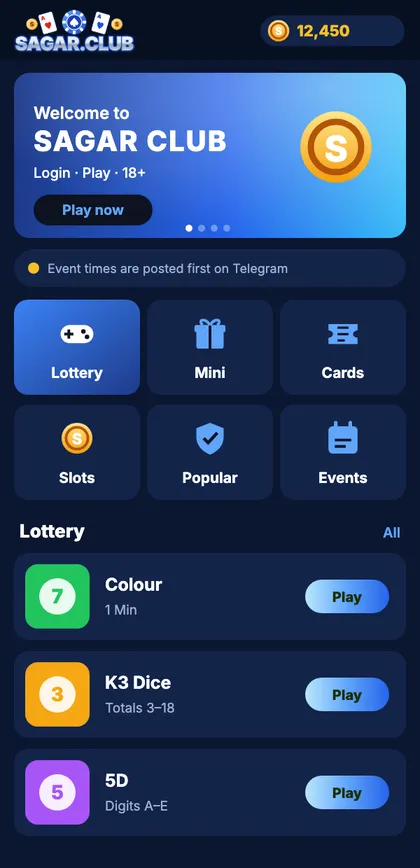
Sagar Club app home screen
Six category tabs along the middle and the lottery rooms underneath – this is where you land after logging in.

Install the app
Android APK from the official site, or a home-screen app on iPhone.

Create an account
Mobile number, password, SMS code – done in about a minute.

Gift codes
Codes appear on the official Telegram and are redeemed inside the app.
On this page
- What the Sagar Club app is
- Download and install the Sagar Club app
- Register inside the Sagar Club app
- Log in to the Sagar Club app
- Games inside the Sagar Club app
- Everyday features
- Keeping your Sagar Club app account safe
- Help when you need it
- A first evening with the Sagar Club app
- How the account is put together
- Android vs iPhone versions
- Reading the results history
- Common first-week mistakes
- Words you’ll see in the app
- All Sagar Club app guides
- Sagar Club app specifications
- Play in moderation
- FAQs
What the Sagar Club app is
A lobby in your pocket
Open the Sagar Club app and you’re in a lobby with six tabs: Lottery, Mini, Cards, Slots, Popular and Events. The Lottery tab holds the timed rooms most people come for – WinGo, K3, 5D and TRX WinGo – while the other tabs carry a crash game, card tables, reel games and short arcade rounds.
Under the games sit a handful of everyday features: a seven-day check-in, gift codes posted on the official channel, VIP levels that rise with activity, and a personal invite code. None of them changes how a game works; they’re extras around the edges.
Why people install the app instead of using the website
- It remembers your login, so the lobby is one tap away.
- It opens faster and uses less data once games are cached.
- It can alert you when a new device signs in.
- You never type an address – which is how most people end up on copycat sites.
Download and install the Sagar Club app
SAGAR CLUB APP · DOWNLOAD
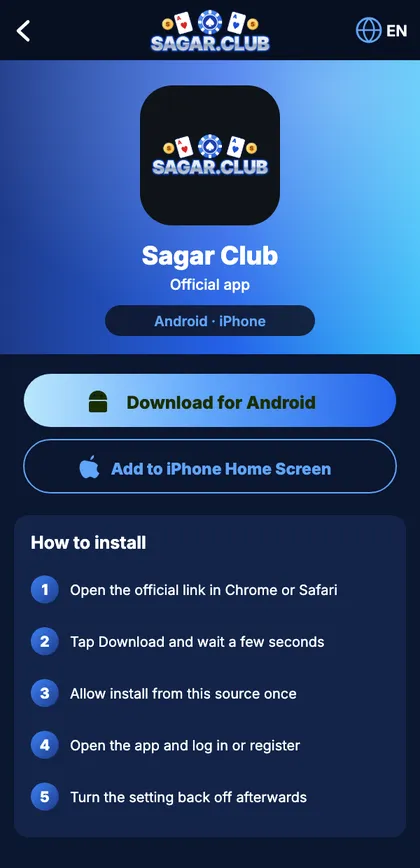
Sagar Club app download page
Android and iPhone buttons with the install steps listed underneath.
Android
- Visit the official Sagar Club site in Chrome.
- Tap Download for Android and confirm the file.
- Allow Chrome to install apps when Android asks – once.
- Install, open and sign in.
- Turn the install permission off again in Settings.
iPhone and iPad
- Open the official site in Safari.
- Share → Add to Home Screen → Add.
- Launch it from the new icon.
Ignore any ‘Sagar Club Mod’, ‘Pro’ or ‘Hack’ file, and any app that wants SMS or Accessibility access. The genuine app never asks for those.
Install errors, permissions and updates are covered on the app download page.
Register inside the Sagar Club app
SAGAR CLUB APP · REGISTER
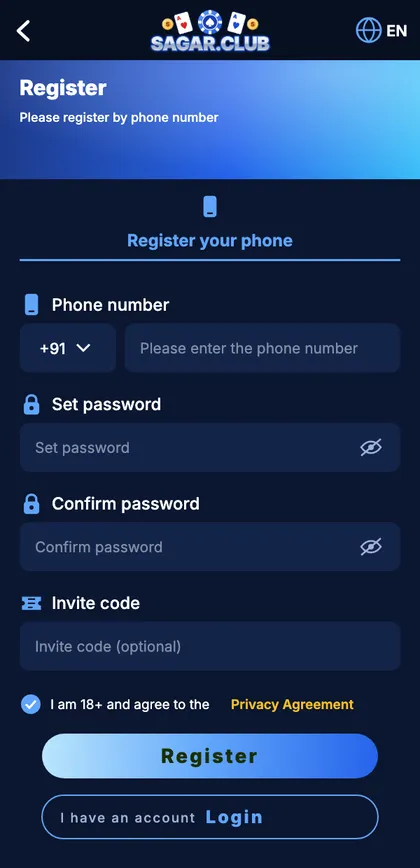
Sagar Club app sign-up screen
Phone number, password twice, optional invite code and the 18+ agreement.
The sign-up in six moves
- Tap Register on the welcome screen.
- Type your ten-digit number after +91.
- Choose a password and type it again.
- Add a friend’s invite code only if you have one.
- Tick the 18+ box.
- Enter the SMS code.
Before you tap Register
| Check | Why |
|---|---|
| Number | One you’ll keep for years – it’s your login and recovery channel |
| Password | Long and unused anywhere else |
| SMS | Make sure DND isn’t blocking service messages |
| Age | You must be 18 or older |
Every field and error message: Sagar Club register. Field-tested tips: register without errors.
Log in to the Sagar Club app
SAGAR CLUB APP · LOGIN
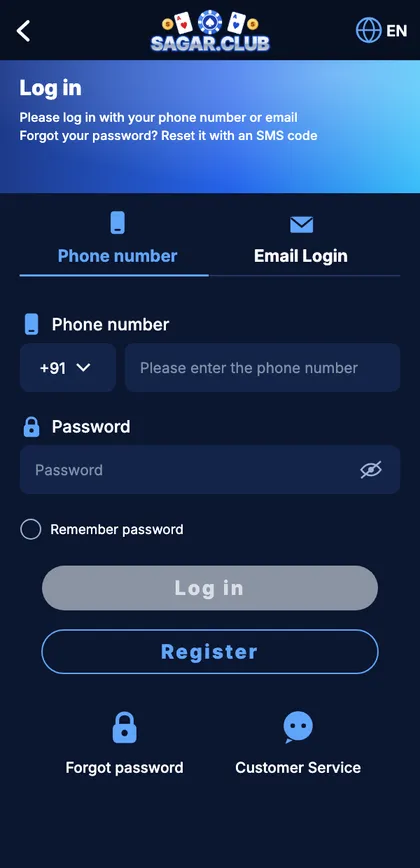
Sagar Club app login screen
Phone or email tab, password, and links to password reset and support.
Signing in
- Open the app and tap Log in.
- Enter your number – ten digits, no zero in front.
- Enter your password (the eye icon helps spot typos).
- Tap Log in.
When the door won’t open
“Account does not exist”
Different SIM, or a 0/+91 typed in front.
“Incorrect password”
Check capitals; after two tries, reset – see forgot password.
Locked for a while
Too many attempts – wait half an hour.
Button spins forever
Weak signal or an old app version – switch network or update.
More fixes: Sagar Club login problems fixed.
Games inside the Sagar Club app
WinGo – colour prediction
SAGAR CLUB APP · WINGO
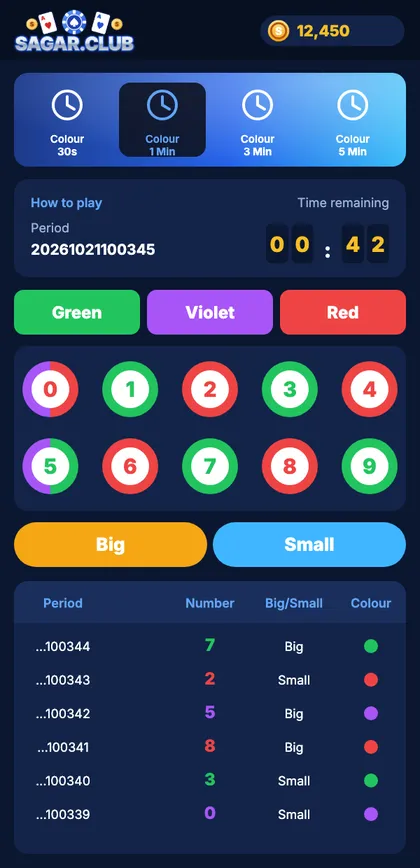
Sagar Club app WinGo room
Countdown, period number, colour buttons, numbers 0–9, Big/Small and the history list.
A number from 0 to 9 is drawn at the end of each period. Odd is green, even is red, 0 and 5 carry violet too; 5–9 is Big. Rooms run on 30-second to 5-minute timers. Full rules: Sagar Club WinGo; a calm first session: WinGo for beginners.
K3 – three dice
Three dice, totals from 3 to 18, Big from 11. Middle totals turn up most because more dice combinations reach them. See Sagar Club K3.
5D – five digits
Five digits under A to E; follow one position or the sum. See Sagar Club 5D.
Aviator – crash rounds

A multiplier rises until the plane leaves at a random moment; you decide when to step out. It’s fast, so pick a time limit first. See Sagar Club Aviator.
Slots, cards and mini games
Reel games, card tables and one-tap rounds fill the other tabs. Each has an info page – read it once, then keep sessions short.
Everyday features
Daily check-in
SAGAR CLUB APP · CHECK-IN
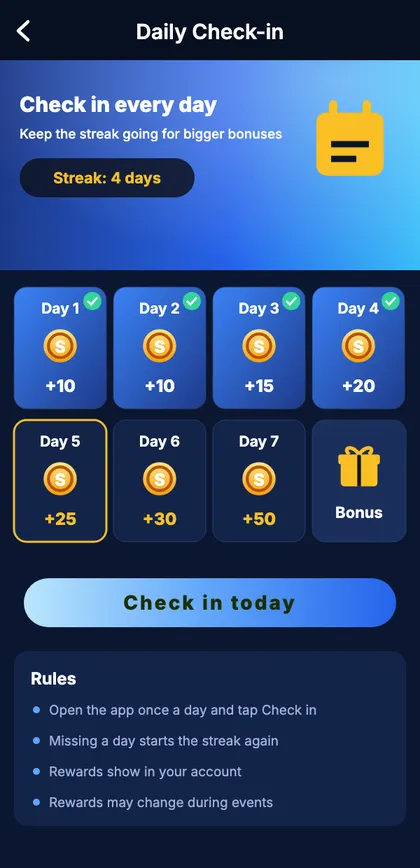
Sagar Club app daily check-in
Seven boxes, one per day, with a bonus box on day seven.
Open the app once a day and tap Check in. Seven days in a row complete the row; a missed day restarts it. More: daily check-in.
Gift codes
Codes are posted on the official Telegram channel; paste them into Account → Gift code and tap Receive. More: Sagar Club gift code.
VIP levels
Levels climb with activity and unlock small perks like a level-up gift. They never affect results. More: Sagar Club VIP.
Keeping your Sagar Club app account safe
- Use a password that exists nowhere else.
- Never read an OTP to anyone – real support won’t ask.
- Open the app from its icon or a bookmark, never from a forwarded link.
- Turn on login alerts and act on them.
- Log out on any phone that isn’t yours.
- Put a PIN on your SIM – it receives your reset codes.
The full checklist: Sagar Club account safety.
Help when you need it
SAGAR CLUB APP · SUPPORT
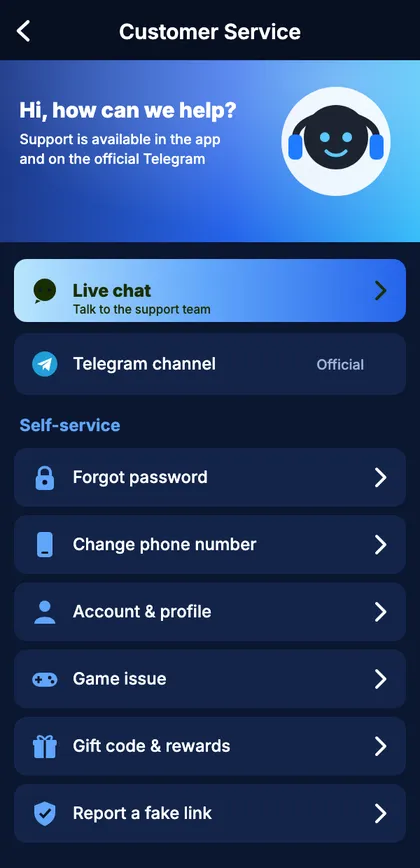
Sagar Club app customer service
Live chat at the top, self-service shortcuts below.
Inside the app, open Account → Customer service for live chat. Send your UID, the exact error and a screenshot. Details: Sagar Club customer care. Quick answers: FAQ.
A first evening with the Sagar Club app
Here’s how a sensible first evening with the app tends to go. You install it from the official site, register with the number you’ve had for years, and land in the lobby. Instead of tapping the first bright banner, you open Account, note your UID, bind an email and switch on login alerts – five minutes that make the account easy to recover later.
Then you open the Lottery tab, choose WinGo and pick the 3-minute room. You read How to play once and watch two full rounds without taking part, matching each result to its colour and size. If you join a round, you choose something broad like Big or Small, well before the lock. When the alarm you set goes off, you log out. That’s it – and the next evening, the screen already feels familiar.
How the account is put together
Everything in the app attaches to one record: your number (the login ID), your password, and a UID that support uses to find you. Profile, security settings, check-in streak, VIP level and history all hang off that record. Your phone only keeps a session token saying ‘this device is logged in’, which is why a new phone can log in instantly and why changing your password signs out every other device in one move.
| Part | Role |
|---|---|
| Number | Login ID + reset channel |
| Password | Proves it’s you |
| UID | Support reference |
| Bound email | Backup login |
| Sessions | Logged-in devices |
| History | Your past rounds |
Android vs iPhone versions
| Feature | Android | iPhone |
|---|---|---|
| Install | APK from official site | Safari → Add to Home Screen |
| Updates | Prompt inside the app | Automatic |
| Notifications | Yes | iOS 16.4+ |
| Thing to avoid | ‘Mod’ APKs from links | Installing a ‘profile’ |
Reading the results history
Every lottery room keeps a history list and a trend grid. They’re handy for checking a round you played and for learning the colour chart. They can’t forecast anything: random results form streaks all the time, and each new period starts fresh. Anyone selling a system or ‘signal group’ built on the chart is selling something that can’t work.
Common first-week mistakes
Registering a second account
Log in or reset instead – duplicates can be closed.
Installing from a forwarded link
Fakes travel this way. Use the official site.
Reading an OTP to a caller
It’s a reset code for your account. Hang up.
Jumping into 30-second rooms
Too fast to learn – start at 3 minutes.
No time limit
Decide first, set an alarm.
Words you’ll see in the app
| Word | Meaning |
|---|---|
| Period | ID of one round |
| UID | Your account number |
| OTP | One-time SMS code |
| Violet | Extra colour on 0 and 5 |
| Session | One logged-in device |
| Check-in | Daily tap for a streak |
All Sagar Club app guides
- App Download
- Register
- Login
- Forgot Password
- WinGo
- K3
- 5D
- Aviator
- Gift Code
- VIP
- Daily Check-in
- Account Safety
- Customer Care
- FAQ
Sagar Club app specifications
| Item | Details |
|---|---|
| App | Sagar Club |
| Android | APK from the official site |
| iPhone | Safari home-screen app |
| Login | Mobile number or email + password |
| Games | WinGo, K3, 5D, TRX WinGo, Aviator, slots, cards, mini |
| Features | Check-in, gift codes, VIP, invites, events |
| Help | In-app chat, official Telegram |
| Age | 18+ |
Play in moderation
- Choose a session length before you open the app.
- Take breaks; keep days off.
- Never play to make up for a bad session.
- Stop when it stops being fun.
More: responsible gaming.
Get the Sagar Club app set up properly
Install from the official source, register with a number you’ll keep, and turn on login alerts on day one.
Frequently asked questions
Is the Sagar Club app free?
Yes – downloading and registering cost nothing.
Where do I get the Sagar Club app?
From the official website – Android APK or Safari home-screen app on iPhone.
Is the Sagar Club app on the Play Store?
No.
How do I register in the Sagar Club app?
Tap Register, enter your number, set a password, tick 18+ and enter the SMS code.
Do I need an OTP every time I log in?
No – only to register or reset a password.
Which games are in the app?
WinGo, K3, 5D, TRX WinGo, Aviator, slots, card tables and mini games.
Can I use the same account on iPhone and Android?
Yes.
Is the app for under-18s?
No – 18+ only.