
Sagar Club Login
The Sagar Club login asks for two things: your registered mobile number (or a bound email) and your password. No SMS code is needed for an ordinary sign-in.
SAGAR CLUB APP · LOGIN
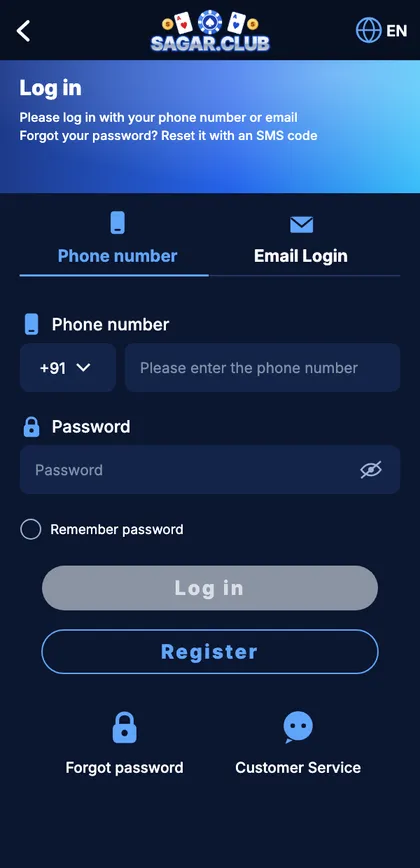
Sagar Club app login screen
Phone and email tabs, password box, remember-me, and shortcuts to reset and support.
On this page
Signing in
- Open the Sagar Club app or the official site.
- Tap Log in – the phone tab is already selected.
- Type your ten digits.
- Type your password and check it with the eye icon.
- Tap Log in.
Error messages
| Message | Cause | Fix |
|---|---|---|
| Account does not exist | Number typed differently, or another SIM | Retype 10 digits; try your other number |
| Incorrect password | Typo or old password | Reset after two tries |
| Too many attempts | Repeated wrong passwords | Wait 30 minutes |
| Network error | Weak signal or VPN | Switch network; VPN off |
New phone?
Install the app from the official site on the new phone and log in with the same details. Your history and VIP level come with you. If the old phone is gone, change your password to end its session.
Staying secure
- Unique password.
- No OTP sharing – ever.
- Open the app from its icon, not links.
- Log out on borrowed phones.
- Login alerts on.
A careful sign-in
You tap Log in, check the ten digits, and notice your keyboard has capitalised the first letter of the password. The eye icon shows it; you fix it. On a shared tablet you leave ‘Remember password’ unticked and log out when you’re done. That’s a perfect login – right place, right details, nothing left behind.
Signs of a fake login page
| Sign | Why it matters |
|---|---|
| Reached from a forward or ad | Common source of copies |
| Odd extra word in the address | Look-alike site |
| Asks for an OTP to log in | Real login never does |
Start with Sagar Club the safe way
Use the official app or website – one Sagar Club account works on every device.
Frequently asked questions
Do I need an OTP to log in?
No.
Can I log in with email?
Yes, after binding one.
Why was I logged out?
A login elsewhere, an update or cleared app data.